
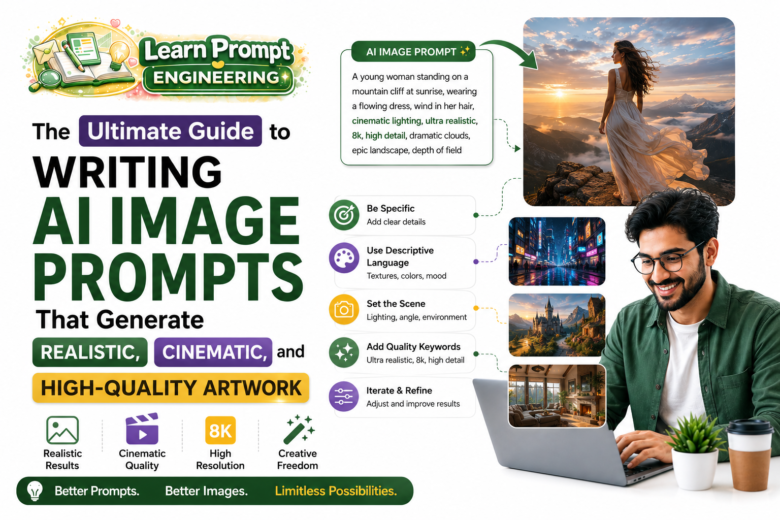
Creating stunning visuals with AI image generators requires more than just basic descriptions. The quality of the generated artwork depends heavily on how well the prompt is written. This ultimate guide teaches you how to craft effective AI image prompts that produce realistic, cinematic, and high-quality results.
Understanding AI Image Prompt Engineering
AI image models interpret text descriptions and convert them into visual elements using patterns learned from millions of images. A well-structured prompt provides clear direction on subject, style, lighting, composition, mood, and technical details, leading to superior outputs.
Core Elements of a Strong Image Prompt
1. Main Subject
Describe the primary focus with precise details including appearance, pose, expression, and clothing.
2. Environment and Setting
Specify location, time of day, weather, and surrounding elements.
3. Style and Artistic Influence
Mention artistic styles, artists, or visual aesthetics (e.g., photorealistic, cinematic, oil painting).
4. Lighting and Atmosphere
Describe lighting conditions, mood, and color palette.
5. Composition and Technical Details
Include camera angles, lens types, resolution, and quality enhancers.
Step-by-Step Guide to Writing High-Quality Image Prompts
Step 1: Define the Core Subject
Start with a clear, detailed description of the main subject. Example: “A young woman in her mid-20s with long wavy dark hair, wearing an elegant evening dress…”
Step 2: Add Environment and Context
Place the subject in a rich, believable setting. Example: “standing on a futuristic balcony overlooking a neon-lit cyberpunk city at night.”
Step 3: Specify Style and Aesthetic
Choose the desired visual style: “photorealistic, cinematic lighting, highly detailed, 8k resolution.”
Step 4: Control Lighting and Mood
Describe lighting: “dramatic volumetric lighting, golden hour sunlight, soft shadows, moody atmosphere.”
Step 5: Add Technical and Quality Parameters
Include enhancers like: “sharp focus, intricate details, masterpiece, best quality, highly detailed textures.”
Advanced Techniques for Realistic and Cinematic Results
For Photorealism
Use terms such as: photorealistic, ultra-detailed, realistic skin texture, natural lighting, depth of field, shot on 35mm film.
For Cinematic Quality
Incorporate: cinematic composition, anamorphic lens flare, directed by Christopher Nolan, dramatic lighting, wide angle shot, film grain.
For Artistic Control
Reference artists or movements: “in the style of Alphonse Mucha, Greg Rutkowski, and Artgerm” or “octane render, unreal engine 5.”
Practical Examples
Basic Prompt:
“A beautiful landscape.”
Advanced Professional Prompt:
“A majestic snow-capped mountain peak at sunrise, dramatic golden light illuminating the ridges, mist in the valleys, crystal clear alpine lake in the foreground reflecting the mountains, photorealistic, cinematic composition, ultra-detailed, sharp focus, 8k resolution, volumetric lighting, masterpiece, best quality, intricate details, shot on Canon EOS R5.”
Cinematic Character Example:
“A confident female cyberpunk hacker in her late 20s with neon pink hair, wearing a black leather jacket with glowing circuit patterns, standing in a rainy futuristic Tokyo street at night, neon signs reflecting on wet pavement, cinematic lighting, blade runner aesthetic, highly detailed face, dramatic atmosphere, photorealistic, 8k, masterpiece.”
Common Mistakes to Avoid
- Being too vague or using contradictory terms.
- Overloading the prompt with too many conflicting elements.
- Neglecting lighting and composition details.
- Forgetting quality enhancers and technical parameters.
- Using overly complex or confusing descriptions.
Best Practices for Consistent High-Quality Results
- Start with the subject, then build layers of detail.
- Use commas to separate different aspects clearly.
- Balance creativity with specificity.
- Test and iterate prompts for better results.
- Build a personal library of effective prompt templates.
- Experiment with different AI image models and their strengths.
Conclusion
Mastering AI image prompt writing is a valuable skill that unlocks professional-grade visual creation. By applying the structured approach and techniques in this guide, you can consistently generate realistic, cinematic, and high-quality artwork.
Practice regularly, analyze successful outputs, and refine your prompting style. With time and experience, you will develop the ability to translate your vision into stunning AI-generated images with precision and creativity.
This ultimate guide contains approximately 980 words and serves as a practical resource for creating exceptional AI artwork.